Shopify Admin UI extensions
Display loyalty information directly in Shopify's customer detail page for quick access to member status, points, and actions.
This feature is available for All plans.
Overview
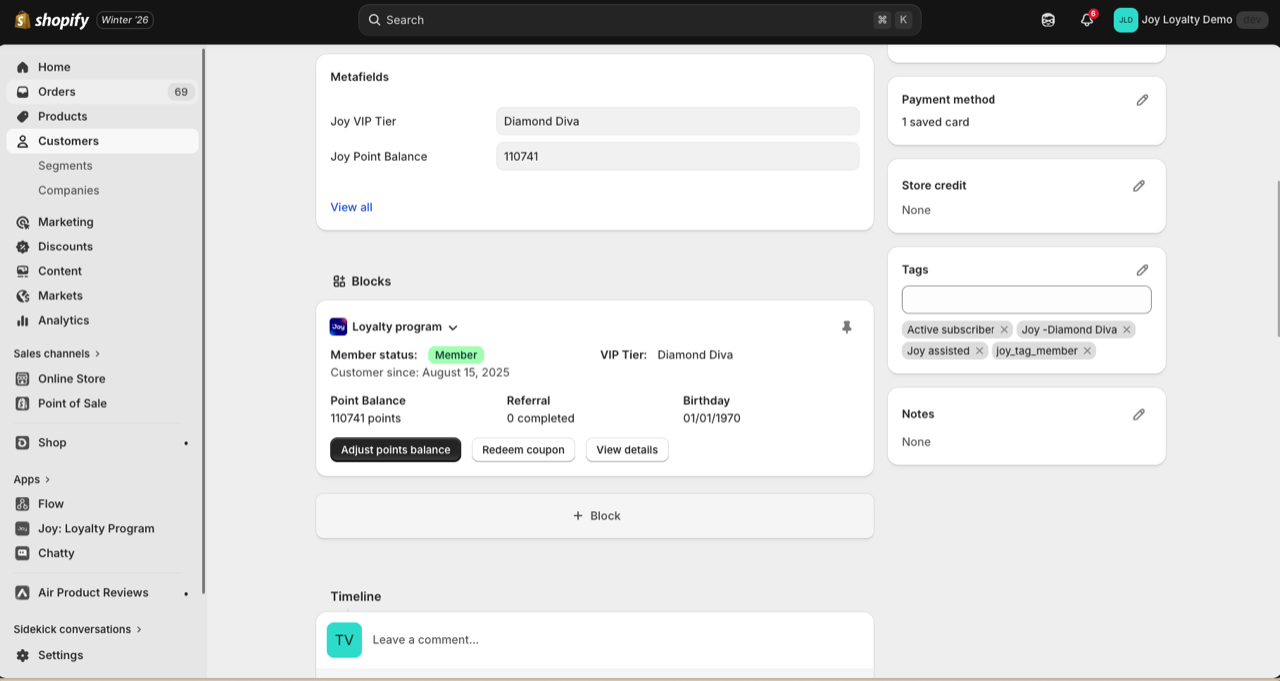
The Joy Loyalty Admin Extension adds a loyalty information block directly in Shopify's customer detail page. Merchants can view key loyalty data and perform quick actions without leaving the Shopify admin.
Customer information displayed
Member status row
- Member status: Guest or Member
- Customer since: Full date (Day/Month/Year) when customer joined the loyalty program
- VIP tier: Current tier (Bronze, Silver, Gold) with tier progress bar
Note: For Exclusive tier members, points are hidden and only the Exclusive tier name is shown.
Quick stats row
| Field | What it shows |
|---|---|
| Point balance | Current available points |
| Referrals | Number of completed referrals + "Copy link" button |
| Birthday | Customer's birth date (Day/Month/Year) |
View details button
Opens the full customer profile in Joy Loyalty app
Using the extension
View customer loyalty info
- In Shopify admin, go to Customers
- Click on any customer
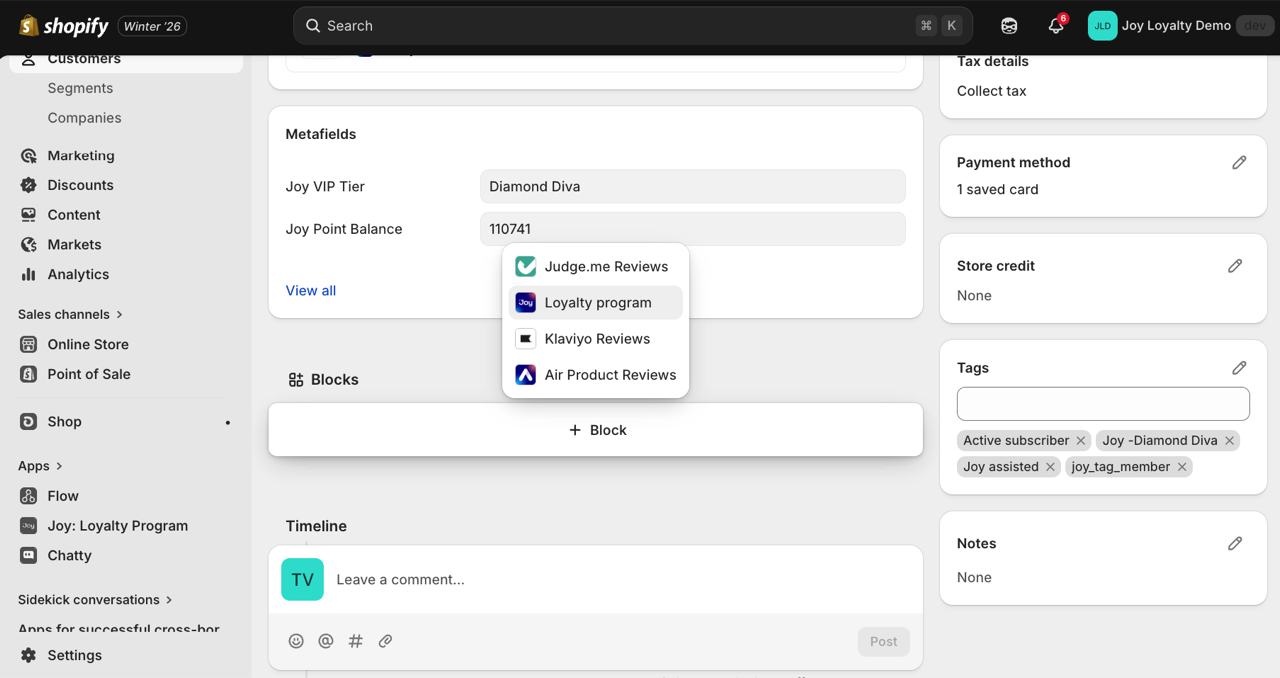
- Scroll to the Blocks, then the Loyalty program extension by Joy
- View all loyalty information at a glance
Adjust points
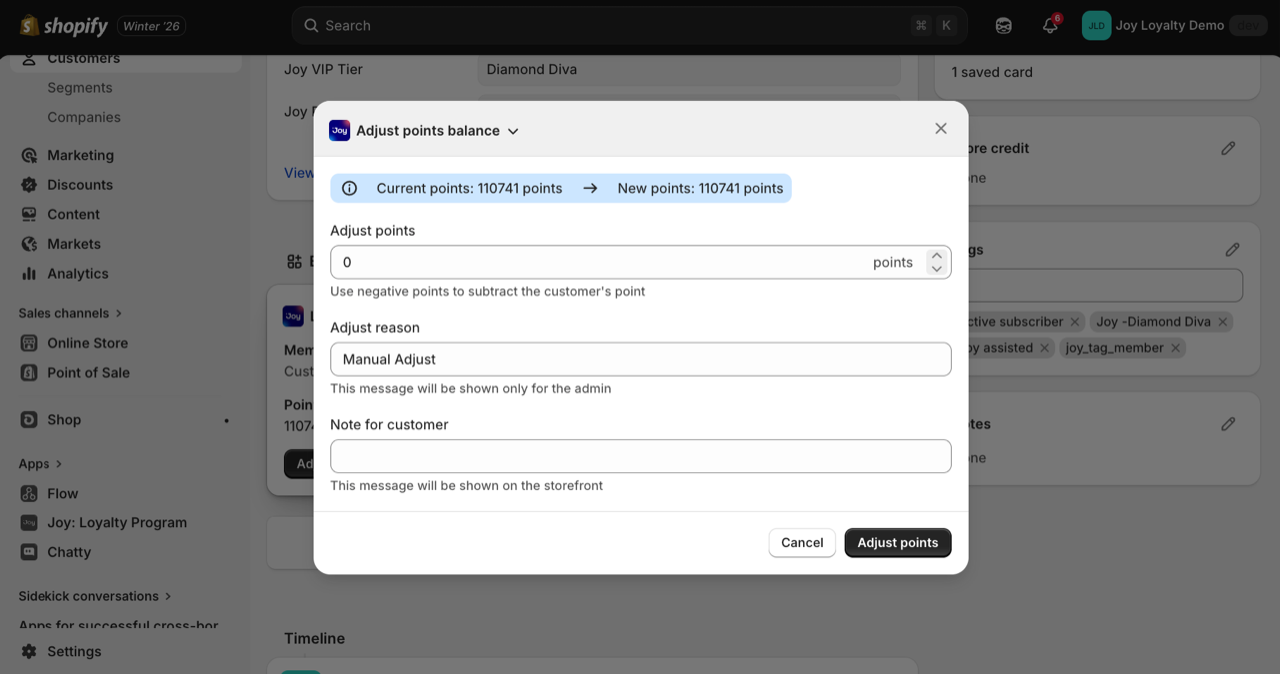
- Click More actions → Adjust point balance
- Enter amount to add or subtract
- Add reason (optional)
- Click Adjust points
Redeem coupon
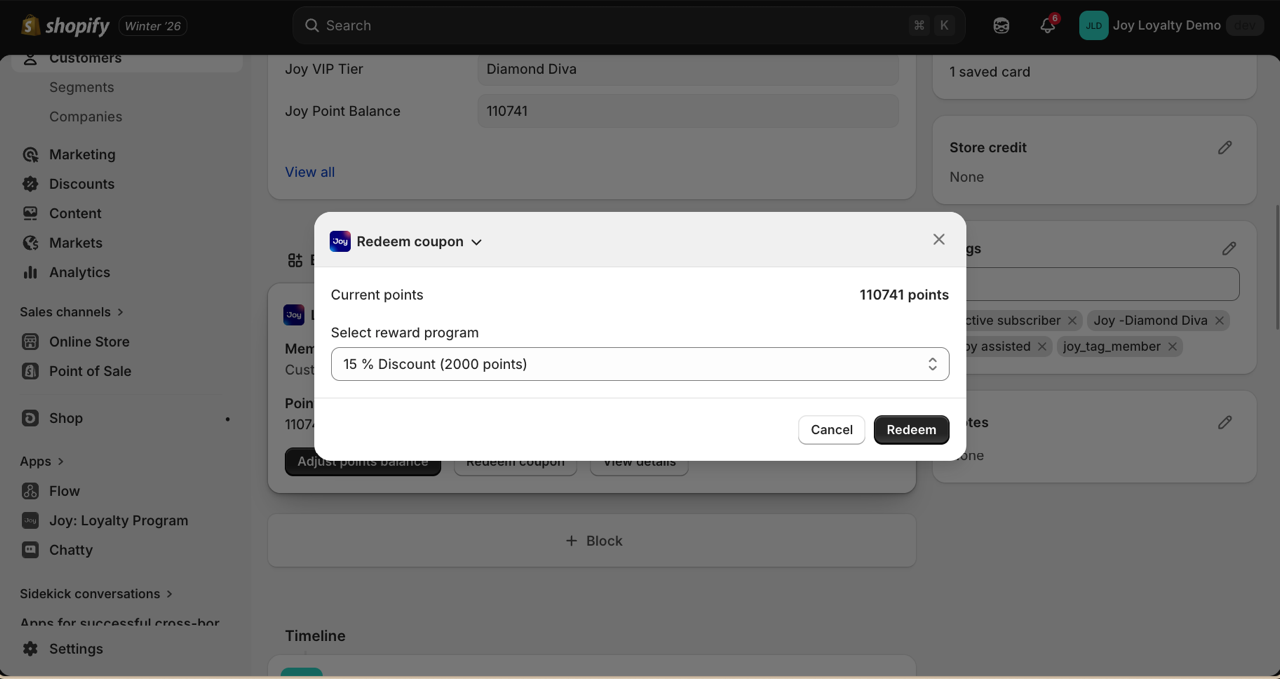
- Click Redeem coupon
- Select reward program
- Configure coupon settings
- Click Redeem
Pin the extension
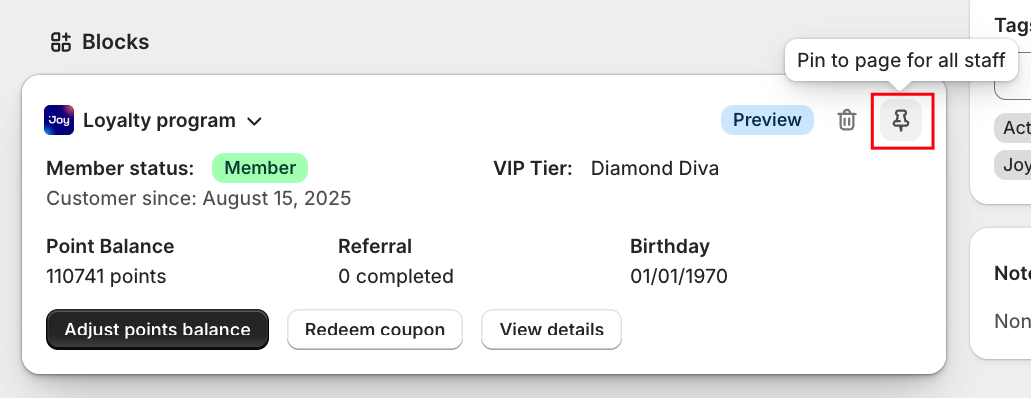
- The current view is a preview. Click on Pin to pin the extension for all staff
FAQs
Can I customize which information shows? The displayed fields are standardized. Use "View details" to see complete information in the Joy app.
Will this slow down my admin? No, the extension loads asynchronously and doesn't affect admin performance.
Can I hide this for certain staff? Permissions follow Shopify staff permissions. Staff who can view customers can see this extension.
What about Exclusive tier customers? Point balance is hidden for Exclusive tier members, showing only their tier name.