General
Settings general information of your store
The General settings section of your loyalty app gives you control over key features that shape the functionality and user experience of your loyalty program.
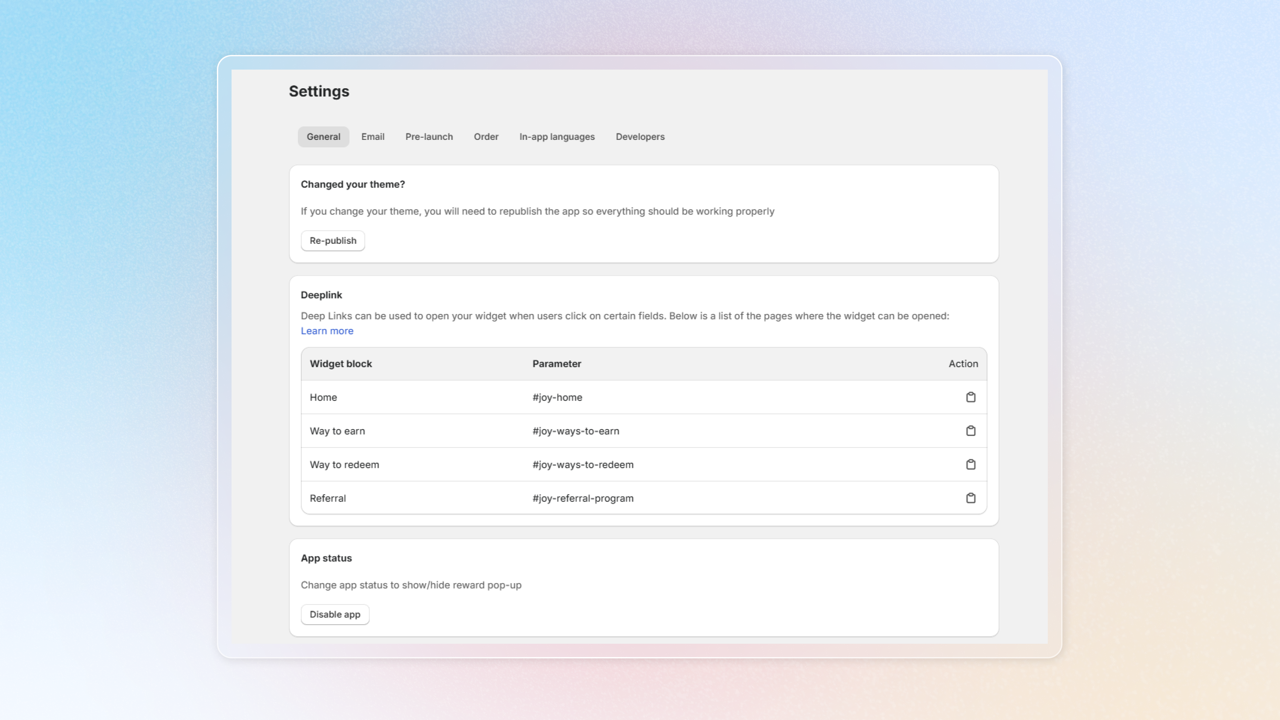
General settings
Click Settings in navigation bar
Use deep links
In General settings, you can see deep links here. Learn how to use deep links
Change app status
You can show/hide reward pop-up by click Disable app, then turn on/off in loyalty page setup
Set up Pre-Login URLs
Click turn on or turn off for the Login URL and Sign-up URL in the widget or pop-up that appears before logging in on the loyalty page and the thank-you page
Create Discount code’s prefix
Choose date format
Select how dates are displayed across your loyalty widget and activity feed.
Choose time format
Select between 24-hour (e.g., 14:30) or 12-hour AM/PM (e.g., 2:30 PM) format for activity times displayed on your widget.
Custom point label
Change loyalty point’s label into another word to match your own business. Learn how to custom point label
Default status for reviews
Choose Pending or Approved as the default status for newly submitted reviews.
Show free product coupon
You can choose the number of free products shown in the cart
Show metafields on Shopify admin
Push loyalty data (points, VIP tier, etc.) to Shopify Customer Metafields, or sync customer profile fields from Shopify into Joy. Learn more in Metafield Settings.
Manage keys
Use your app credentials to integrate Joy Loyalty with other platforms