Google Wallet Notifications
Use Google Wallet notifications to keep customers engaged with real loyalty events—without relying only on email.
Overview
Google Wallet notifications let customers receive timely updates tied to their loyalty pass, such as:
- Earn rewards (when a customer earns points)
- Tier upgrade (when a customer moves to a higher VIP tier)
- Tier downgrade (when a customer drops to a lower tier)
- Points expiration (when a customer's points are about to expire)
- Coupon expiring soon (merchant picks how many days ahead — e.g. 3 days)
- Coupon expired (fires the next day after the coupon becomes invalid)
This improves:
- Reward awareness
- Return visits
- Overall loyalty engagement
Notification variables & coupon reminder setup
When configuring notification body text, use these template variables — Joy fills in the actual values per customer:
| Notification type | Required variables |
|---|---|
| Coupon expiring soon | {{couponCode}}, {{expiryDate}}, {{daysRemaining}} |
| Coupon expired | {{couponCode}}, {{expiryDate}} |
Days before expiry: expand the Coupon expiring soon row in Notification settings and enter how many days ahead the reminder fires (minimum 1, default 3). Coupon expired has no delay setting — it fires the next day after the coupon becomes invalid.
How notifications work (important)
A Google Wallet notification is sent only when all required conditions are met:
- Google Wallet is enabled for the shop.
- Relevant notification type is enabled in settings.
- Customer has already added the pass to Google Wallet.
- A triggering loyalty event occurs (for example point earned or expiration reminder).
If one condition is missing, notification is not delivered.
Due to Google wallet's limitation, each customer can only receive 3 push notifications / 24 hours
Enable notification flow in Joy
- Go to Customers > More actions > Generate digital loyalty pass > Google wallet in Joy admin.
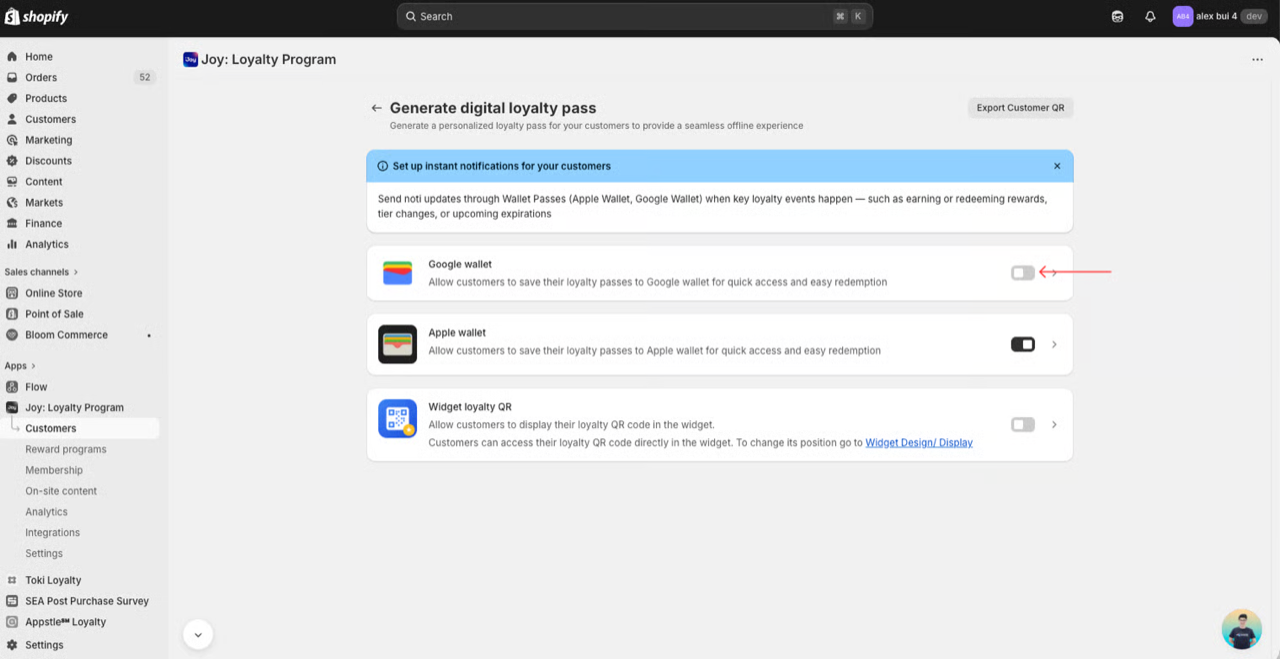
- Open Notifications tab
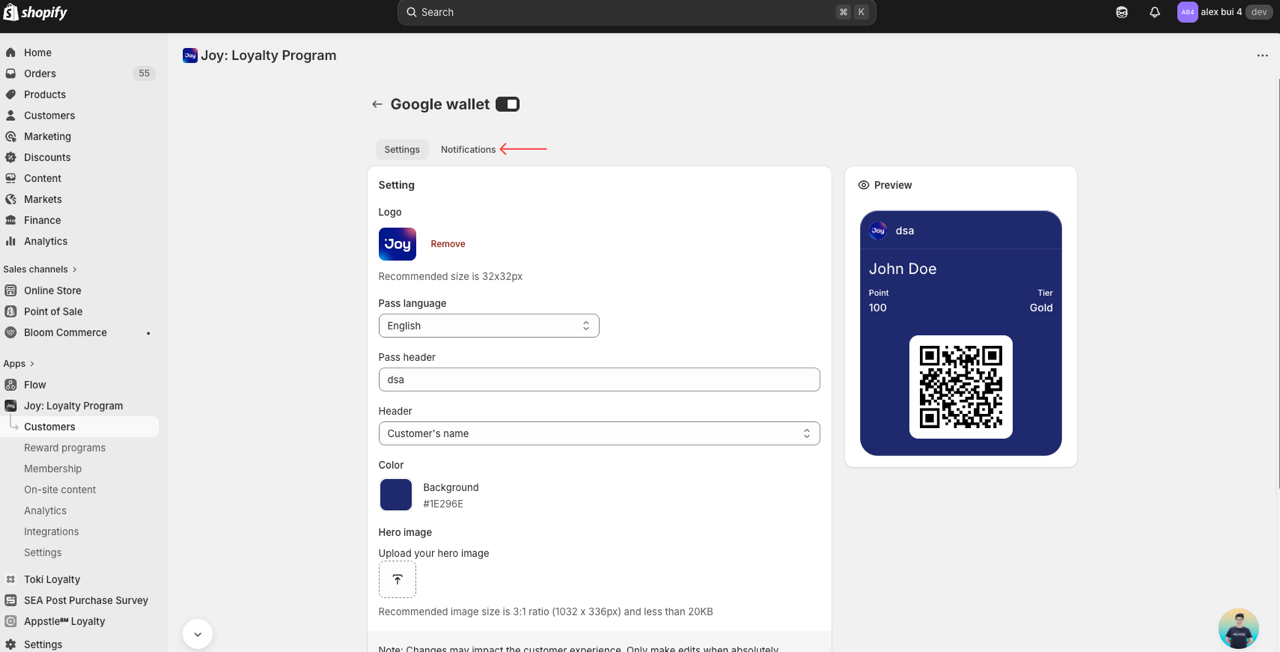
- Enable the notification types your program needs.
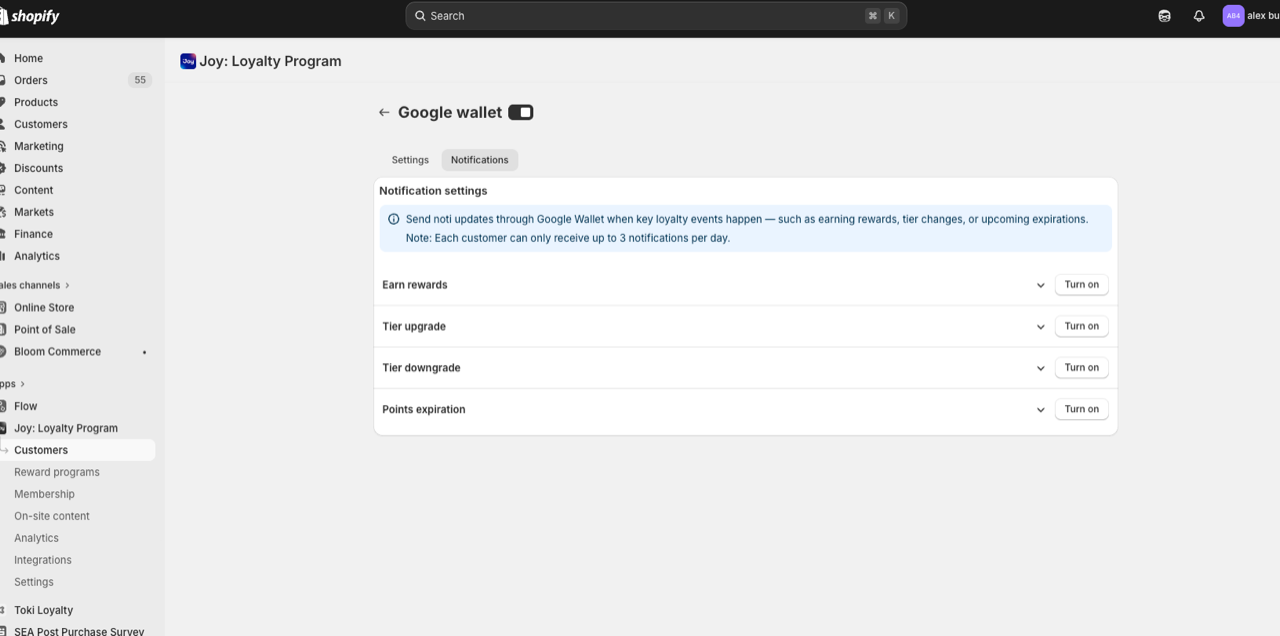
- Save configuration.
Exact notification options may vary by release/version. If your panel does not show a specific toggle yet, keep Wallet enabled and rely on currently supported event sync.
Notifications from connected apps
If you use apps like Wishlist Plus (price drop, back in stock alerts) or Joy Subscription (renewal, payment reminders), they can also send push notifications through this same wallet pass — always shown under your store's Joy Loyalty branding, never the connected app's name.
Turn this on or off with the Notifications from connected apps toggle in the same Notifications tab. These notifications count toward the same 3-per-day-per-pass Google Wallet limit as your other notification types.
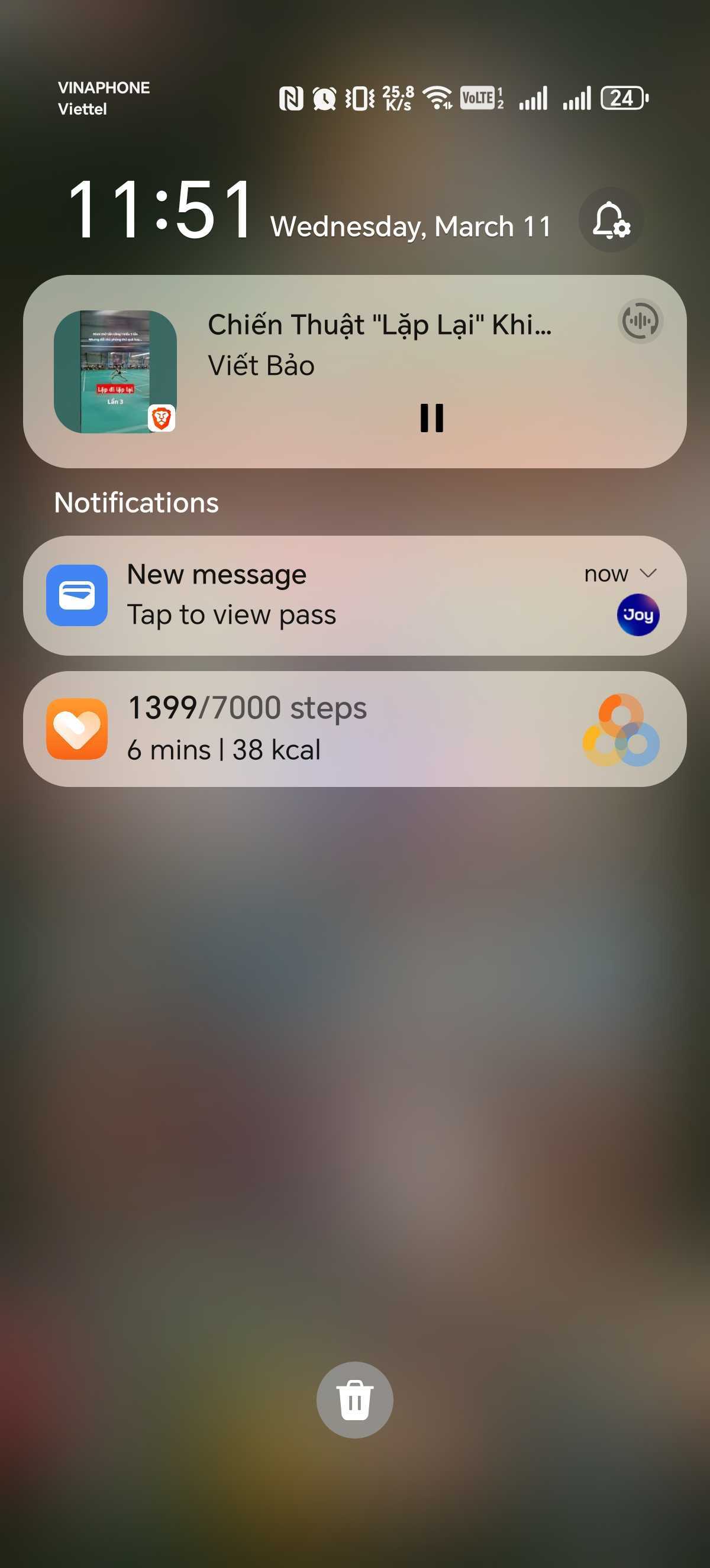
Customer experience
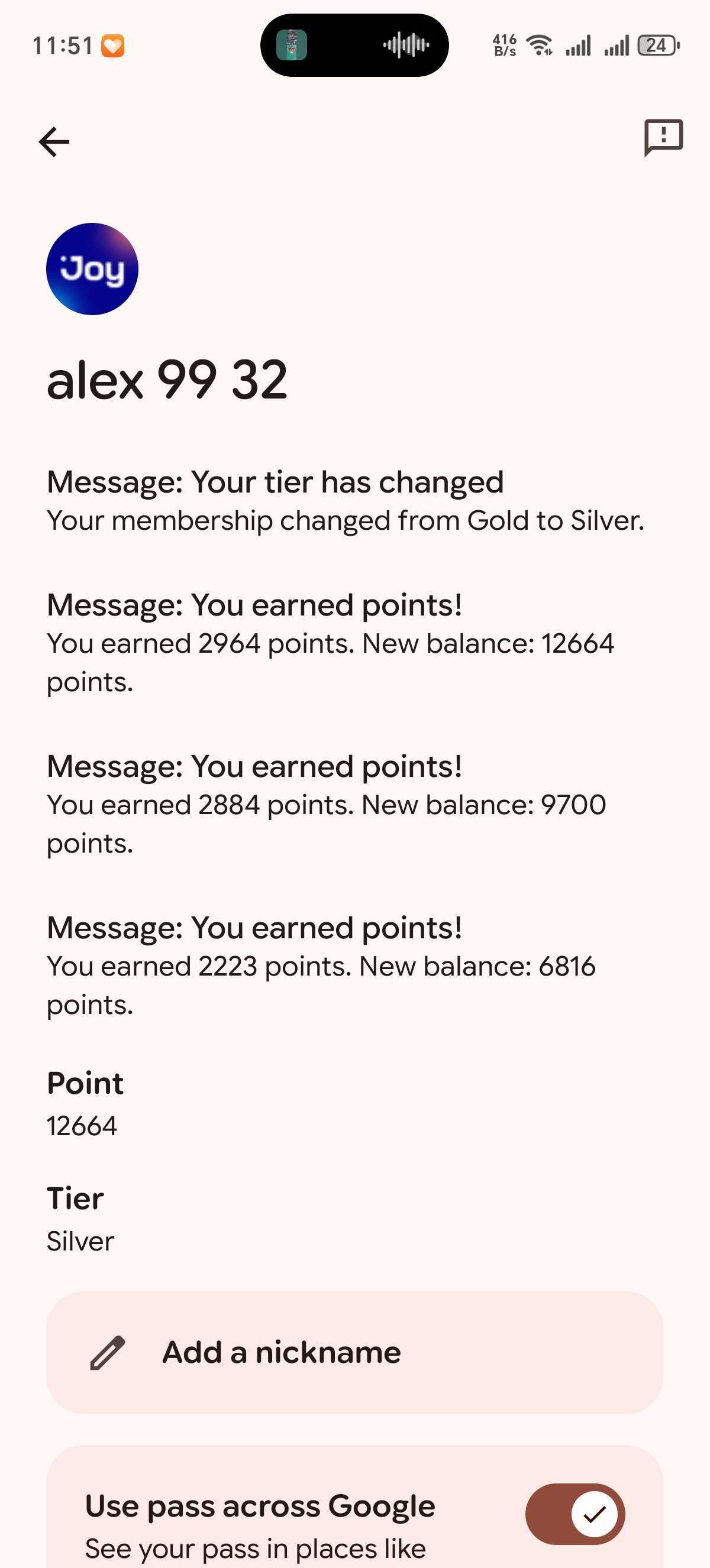
Cusstomer will see push notifications about the events configured
Recommended event strategy
Joy supports 6 Google Wallet notification types. Prioritize from Tier 1 down based on what your loyalty program leans on. Each customer can receive at most 3 Google Wallet pushes per day, so the order matters.
Tier 1 — high-intent activity confirmation
- Earn rewards — confirms points immediately after every qualifying purchase. Highest signal-to-noise; turn on first.
- Coupon expiring soon — drives redemption before value is lost. Set 3 days ahead so customers have time to use the coupon.
Tier 2 — recover lost attention
- Points expiration — nudges customers to redeem before points are wiped.
- Coupon expired — final recovery touchpoint; pair with a new-offer CTA in the body copy.
Tier 3 — milestone & retention
- Tier upgrade — celebrates progression and reinforces program value.
- Tier downgrade — re-engages at-risk members before they churn.
Message quality guidelines
Write push copy that is:
- Specific (what happened)
- Actionable (what to do next)
- Time-aware (if expiry is involved)
Good examples:
- “You earned 120 points from your latest order.”
- “Your 200 points expire in 7 days. Redeem now.”
- “Your 10% OFF coupon expires in 3 days — use it before it's gone.”
- “Your 10% OFF coupon just expired. Earn a new one here.”
- “Double points weekend is live today.”
Avoid vague copy like “You have updates” or overly promotional spam.
Troubleshooting
Customer does not receive notification
Check:
- Pass is added to Google Wallet
- Wallet + notification settings are enabled in merchant setup
- Google Wallet app notifications are enabled on device
- Device battery optimization is not suppressing Wallet background behavior
- Cus might hit limit of 3 push notifications / 24h hours
Notification arrives late
Possible causes:
- OS battery optimization/background restriction
- Delayed network sync
- Event trigger timing misaligned with expected campaign window
Customer removed pass
If pass is removed, notifications tied to that pass stop. Customer must re-add pass.
FAQ
Can customers choose which alerts to receive?
At minimum, customers can control Wallet/system notification permissions. Fine-grained options depend on current Wallet app capabilities.
Can notifications be used for campaign promotion?
Yes, but prioritize relevance and event-based timing to avoid opt-outs.
Do notifications work on iOS with Google Wallet?
This guide is for Android Google Wallet. For iOS, use Apple Wallet guidance.