Auto send referral link
Send referral invitations directly to your friends via email — no more manual link copying
What's new?
Previously, referrers had to manually copy their referral link and share it through chat, social media, or other channels. This meant extra steps and lower conversion.
Now, referrers can enter a friend's email directly in the referral popup — and the system sends a branded invitation email automatically. Your friend receives the referral link and discount details right in their inbox, ready to shop.
This feature is available for All plans.
Why use email invites?
- Higher conversion — Email lands directly in your friend's inbox instead of getting lost in a chat
- Professional branded email — The invitation looks trustworthy with your store's branding
- Automatic tracking — No need to manually copy or paste links. The system handles everything
- Multiple delivery channels — Works with Joy's built-in email, Klaviyo, and Shopify Flow
How it works
Referrer opens the referral section
The referrer opens the loyalty widget, loyalty page, or account page and navigates to the referral section.
Enter friend's email and click Send
The referrer already has their referral link displayed. To invite a friend, they simply enter the friend's email address and click Send.
The system sends a branded invitation email to the friend automatically — containing the referral link and reward details.
Friend receives the invitation email
The friend gets an email containing:
- The referrer's name — so they know who sent it
- The discount or reward they'll receive
- A referral link to start shopping
When they click the link, they land on your store with the referral tracked automatically.
Friend makes a purchase
Once the friend places an order, both sides get rewarded:
- Friend (referee) receives their referral discount or points
- Referrer receives their reward (points, store credit, or discount)
Both parties receive email notifications confirming their rewards.
Customer experience
Here's what each side sees throughout the referral email invite flow:
Referrer (the one sending the invite):
- Opens the referral section in the loyalty widget, loyalty page, or account page
- Their referral link is generated (entering their own email first if prompted)
- Enters a friend's email and clicks Send — a success message confirms the invite went out
- A Send to another friend button appears, so they can keep inviting in one sitting
- Can also share the link directly via Copy link, Facebook, Twitter, WhatsApp, or Email
Referee (the friend receiving the invite):
- Receives a branded email from your store with the referrer's name, the reward details, and a Shop now link
- Clicks the link and lands on your store — the referral is tracked automatically via a 7-day cookie
- After placing an order, they receive their referral reward (discount, points, or store credit)
- Gets a confirmation email with the reward details
The referee must place an order using the same email that received the invitation. If they use a different email, the referral won't be tracked.
Set up email notifications for referral invites
The invitation email is controlled through your notification settings. You have three options:
Joy built-in email
Go to Settings > Notifications and enable the Link Invite notification.
You can customize:
- Subject line — Personalize the email subject
- Email body — Edit content, add your logo, change colors
- Variables — Use dynamic content:
| Variable | Description |
|---|---|
{{shop_name}} | Your store name |
{{referrer_name}} | Name of the person who referred them |
{{referee_discount}} | The discount offered to the friend |
{{referral_link}} | The invitation link |
Click Send Test to preview the email before activating.
Klaviyo
If you use Klaviyo, the referral invite event is available as a trigger. Set up a Klaviyo flow to send the invitation email with your own design and automation rules.
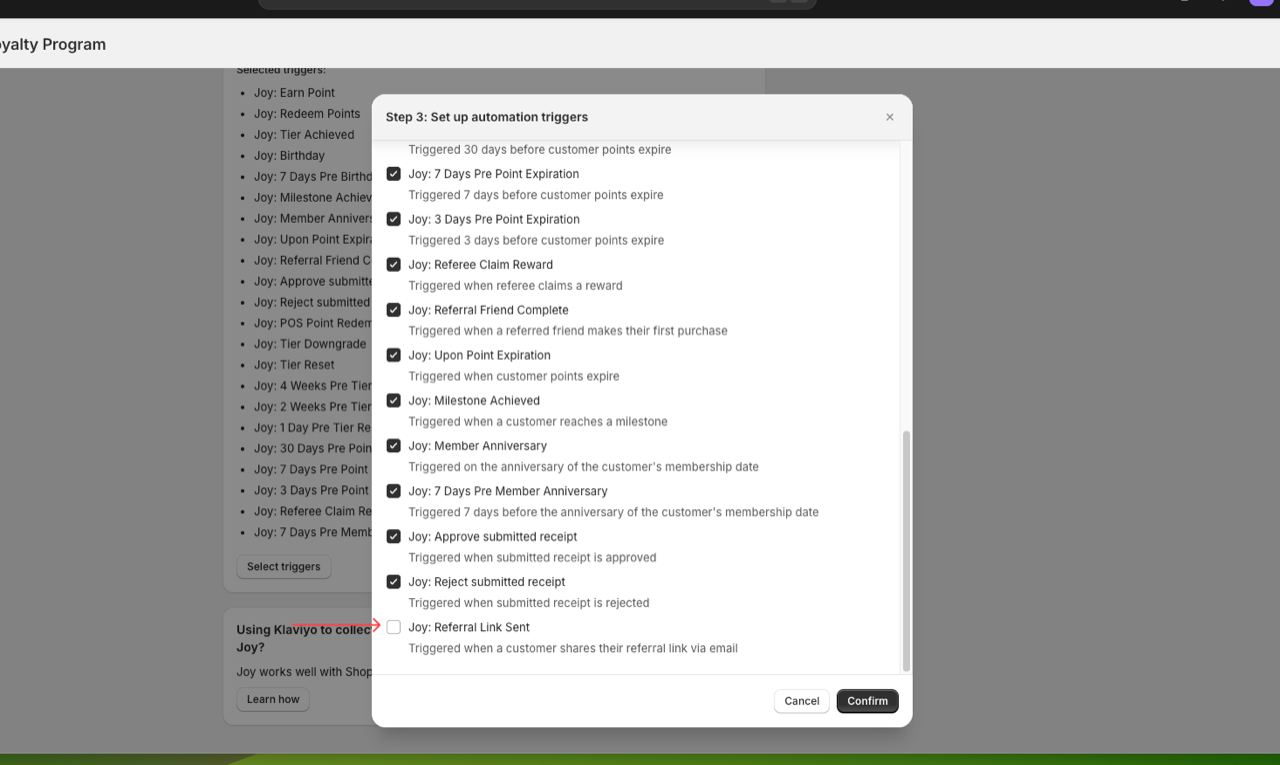
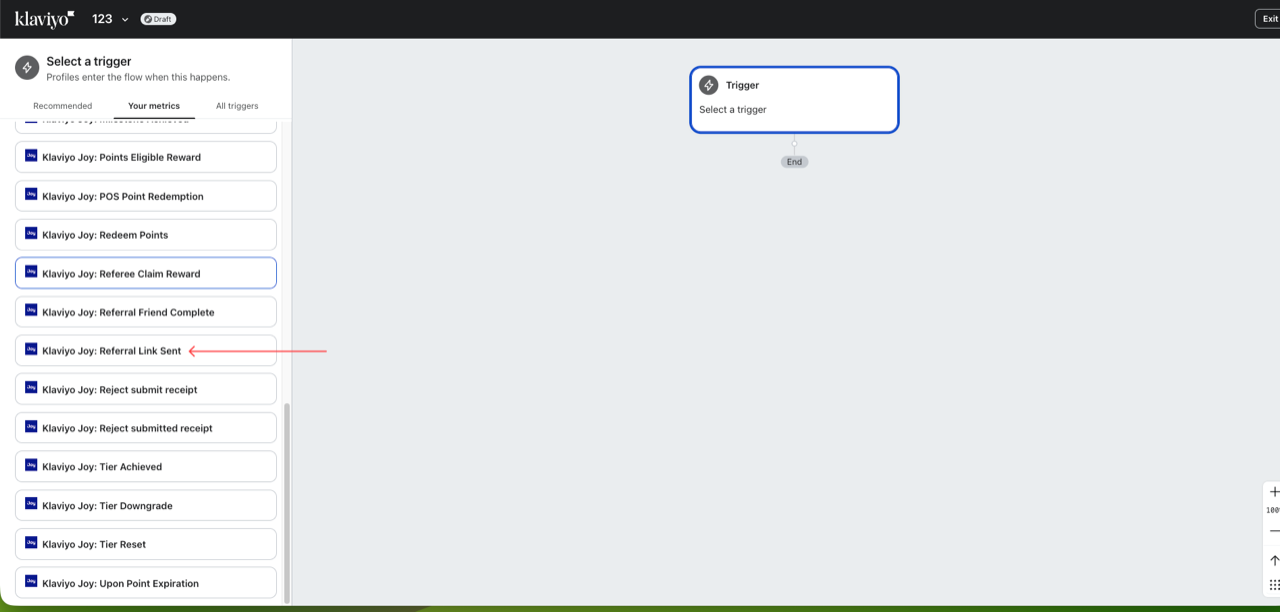
See Joy and Klaviyo for integration setup.
Shopify Flow
For Shopify flow, You can also use the trigger below to send email:
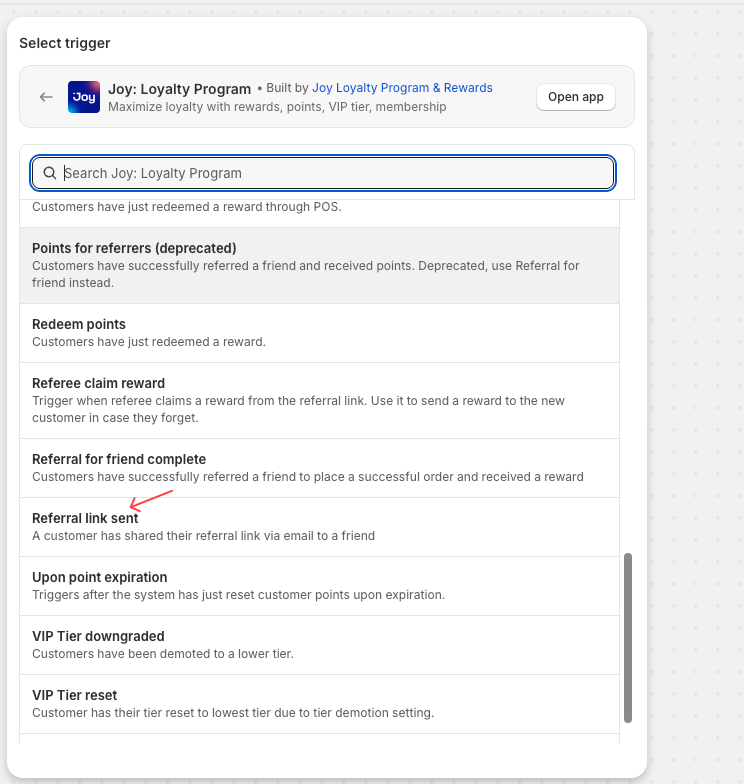
See Integrate with Shopify Flow for setup instructions.
FAQs
Does the friend need an existing account?
No. If the friend doesn't have an account yet, the system creates one automatically using the email provided. They can start shopping right away.
Can the referrer still share the link manually?
Yes. After entering the email, the referral link is also displayed in the popup. The referrer can copy it or share via social channels as before.
What if I use Klaviyo or Shopify Flow for emails?
You can choose your preferred delivery channel. Joy's built-in email works out of the box, but you can also trigger Klaviyo flows or Shopify Flow automations for more control over email design and timing.
Can the referrer send to multiple friends?
Yes. The referrer can repeat the process for each friend. The referral limit settings in your program still apply.
Where do I see referral invite activity?
Go to Activities in your Joy dashboard. You'll see pending referral entries for each invite sent, which update to complete when the friend makes a purchase.