Joy and Shopney
Connect Joy Loyalty with Shopney to bring your rewards program into your branded mobile app and drive repeat purchases from mobile shoppers.
This integration is available for: Ultimate only
Overview
Shopney (opens in a new tab) is a mobile app builder that lets Shopify merchants create a branded iOS and Android app without coding. By connecting Joy Loyalty with Shopney, you can surface your loyalty program — points balance, rewards, VIP tiers, and referrals — directly inside your mobile app, giving customers a seamless way to earn and redeem on the go.
How to set up
Open the Joy Loyalty app
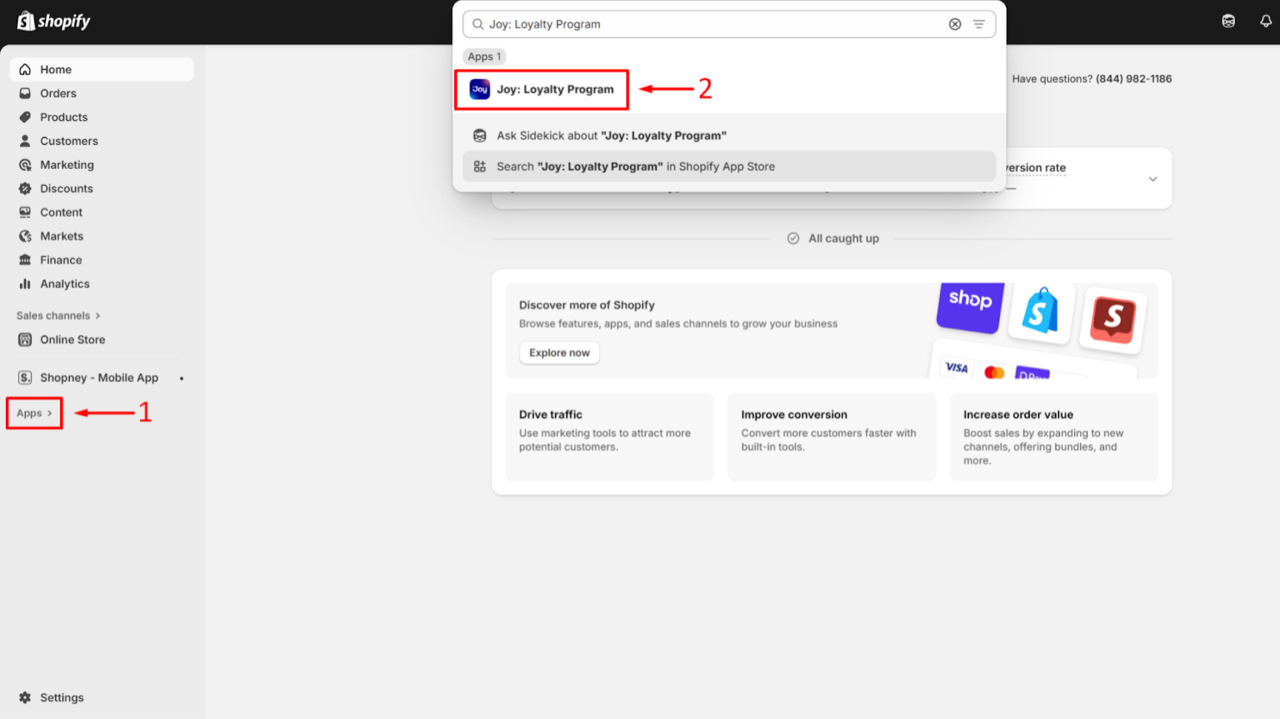
In your Shopify admin, go to Apps and open Joy: Loyalty Program.
Generate your API credentials
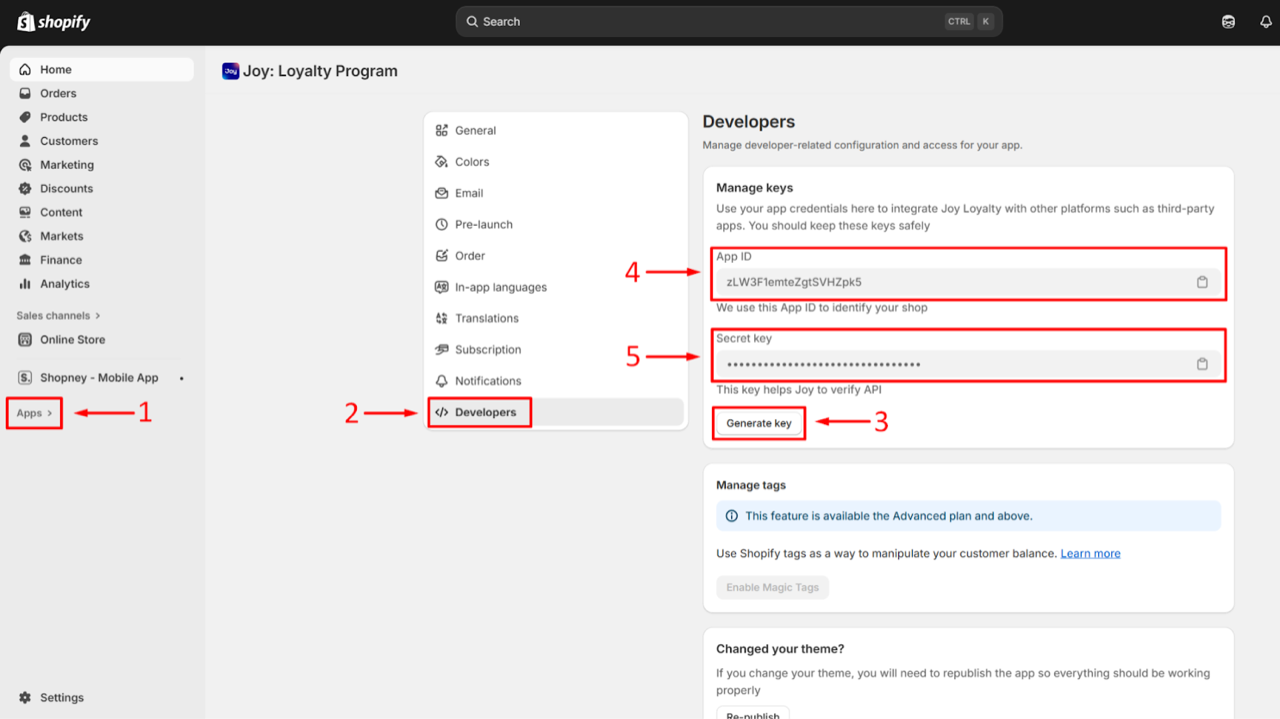
Inside Joy, go to Settings → Developers. In the Manage keys card, click Generate key to create your credentials.
Generating a new key invalidates any previously issued key. If you've already connected another app using an existing key, you'll need to re-enter the new key in that app.
Once generated, click the clipboard icon next to App ID and Secret key to copy each value.
Open Joy Loyalty in Shopney's Integrations
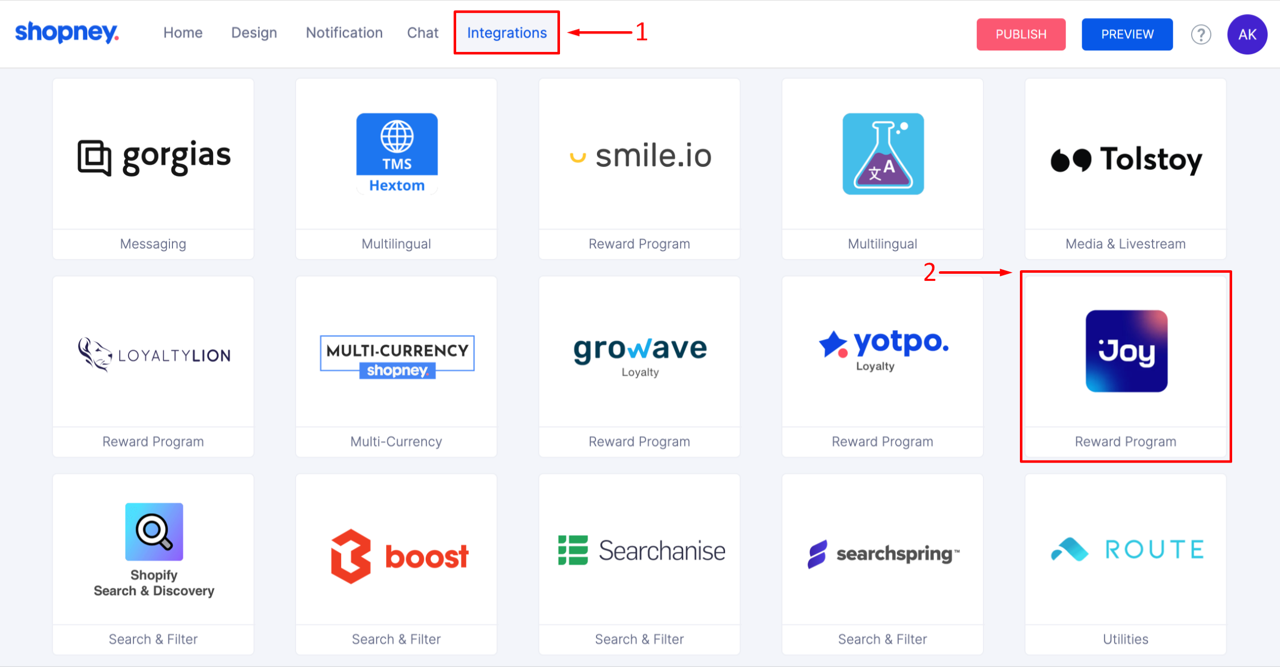
In your Shopney dashboard, go to the Integrations section and click Joy Loyalty App.
Paste credentials and activate
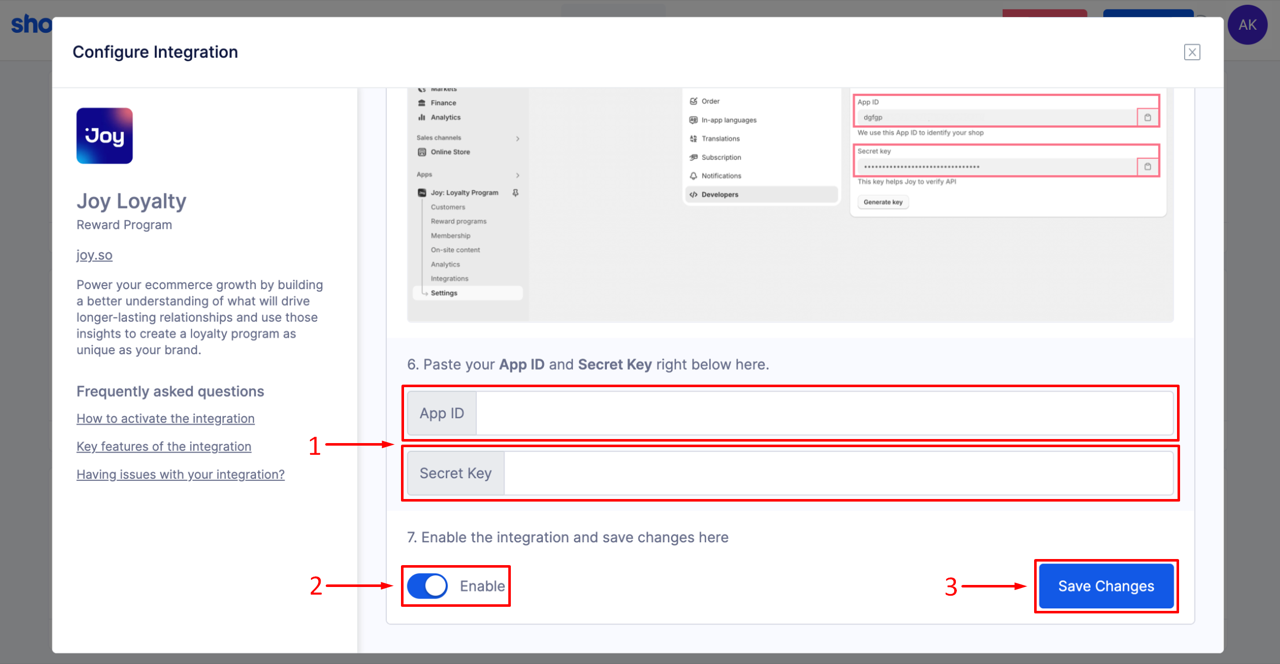
Paste your App ID and Secret key into the corresponding fields. Switch the Enable toggle on, then click Save Changes.
Add the Loyalty element to your app menu and showcase
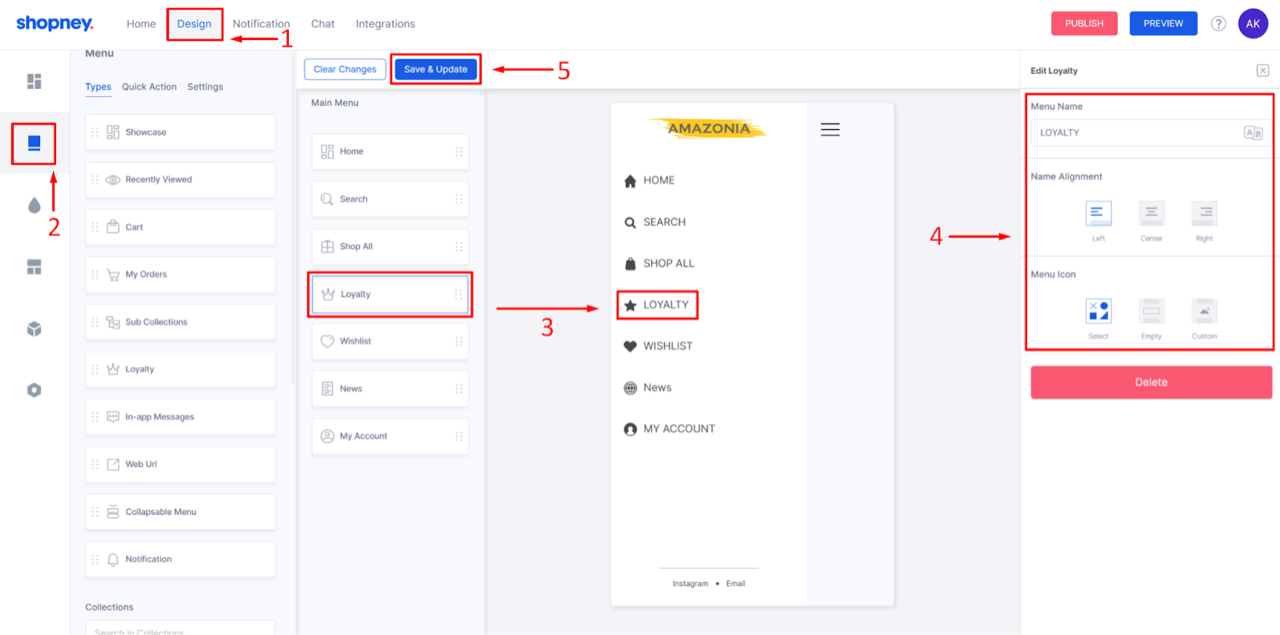
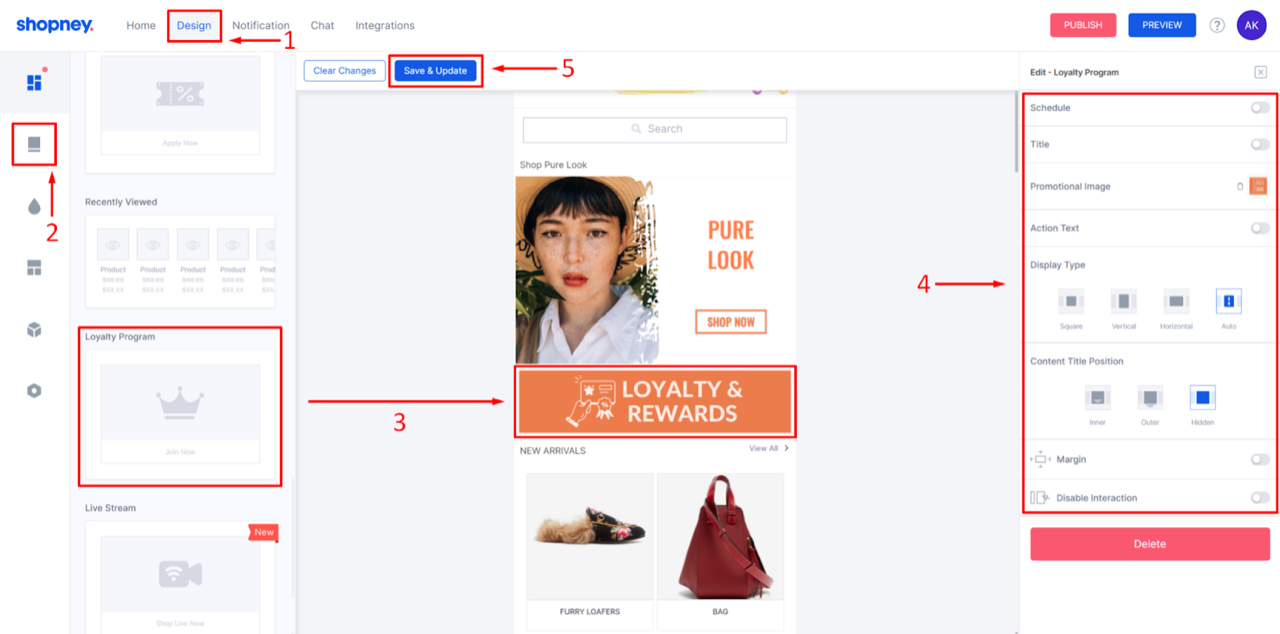
To make the loyalty page accessible for your customers, you need to add the Loyalty element to your app's menu and/or showcase.
Menu: In Shopney's Design section, click the Menu tab. Drag and drop the Loyalty element into your app's menu, configure it from the right panel, then click Save & Update.
Showcase: In the Design section, click the Showcase tab. Drag and drop the Loyalty element into your showcase, configure it from the right panel, then click Save & Update.
Once you complete the steps above, the Joy Loyalty integration will be active and fully functional in your Shopney app.
FAQ
Do I need to generate a new key for each integration?
No. Your App ID and Secret key can be reused across integrations. Only click Generate key again if your key is compromised or you need to revoke access — doing so will invalidate the old key and any connected apps will stop working until you re-enter the new key.
Which Joy plan is required for this integration?
The Shopney integration requires the Ultimate plan.
I can't see the integration working — how do I preview it?
Make sure you have downloaded the latest version of the Shopney Preview app on your phone. Older versions may not reflect recent integration updates. Update the Preview app from the App Store or Google Play, then reload your store inside the app.
Need help?
Contact Joy support at win@joy.so or visit help.joy.so for more documentation.