Add Joy to Shopify POS
Guide on setting up Joy for in-store use through POS, making it easy to manage loyalty programs in brick-and-mortar settings.
This feature is available for Advanced, and Ultimate plans.
Introduction
Shopify POS allows for seamless integration of applications directly into the POS grid through extensions. This capability enhances the functionality at the point of sale, making transactions smoother for both retailers and customers.
With our Joy app, you can easily add this functionality to your Shopify POS grid, streamlining operations and improving the customer experience.
Instruction for app installation on the POS system
Make sure that you have installed our app Joy Loyalty Program (opens in a new tab) and subscribed to the plan with the POS option enabled. If you haven't installed Joy yet, please proceed to install it here (opens in a new tab)first.
Once done, add Joy to your Shopify POS grid on your Point of Sale mobile app or desktop app by following the instructions below
- Point of Sale mobile app
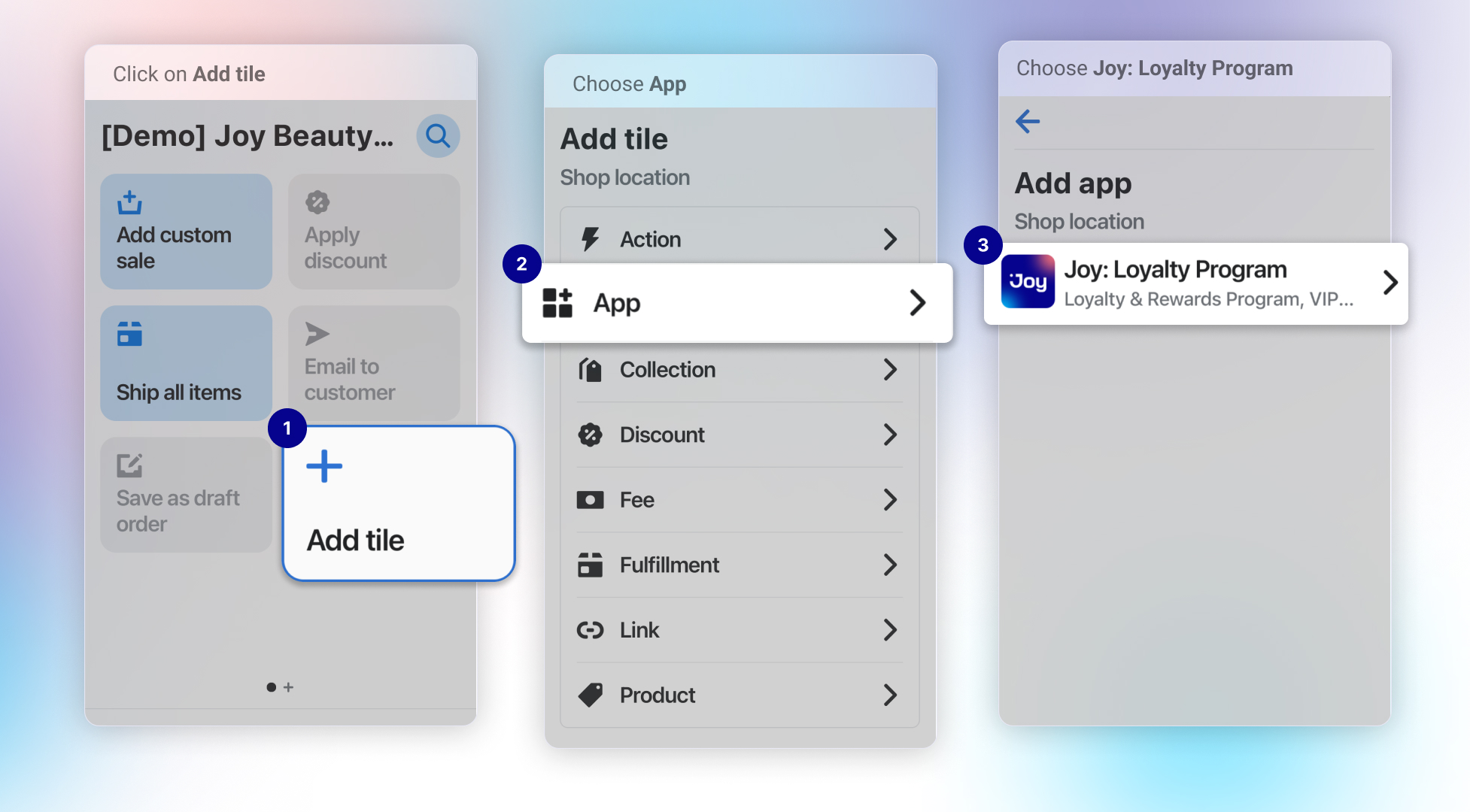
You need to go to the POS app, then Add tile and Select App. When you see Joy: Loyalty Program, tap to Add
- Point of Sale desktop app
You should open the Point of Sale menu in the Shopify admin page, then get access to the POS apps. You can find Joy Loyalty Pos Extension and add it to your Smart grid tile. Follow the interactive guide below for detailed instructions.
Add the version that suits your store
Customers can choose between two versions of the Joy widget for Shopify POS: Joy Loyalty POS Extension and Joy: Loyalty program (Legacy).
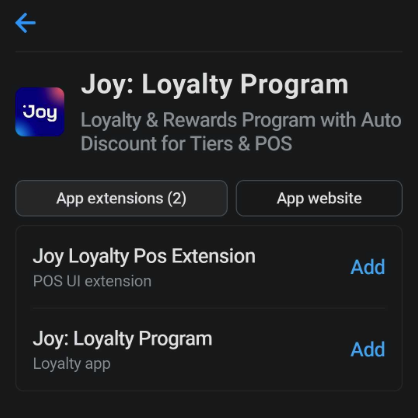
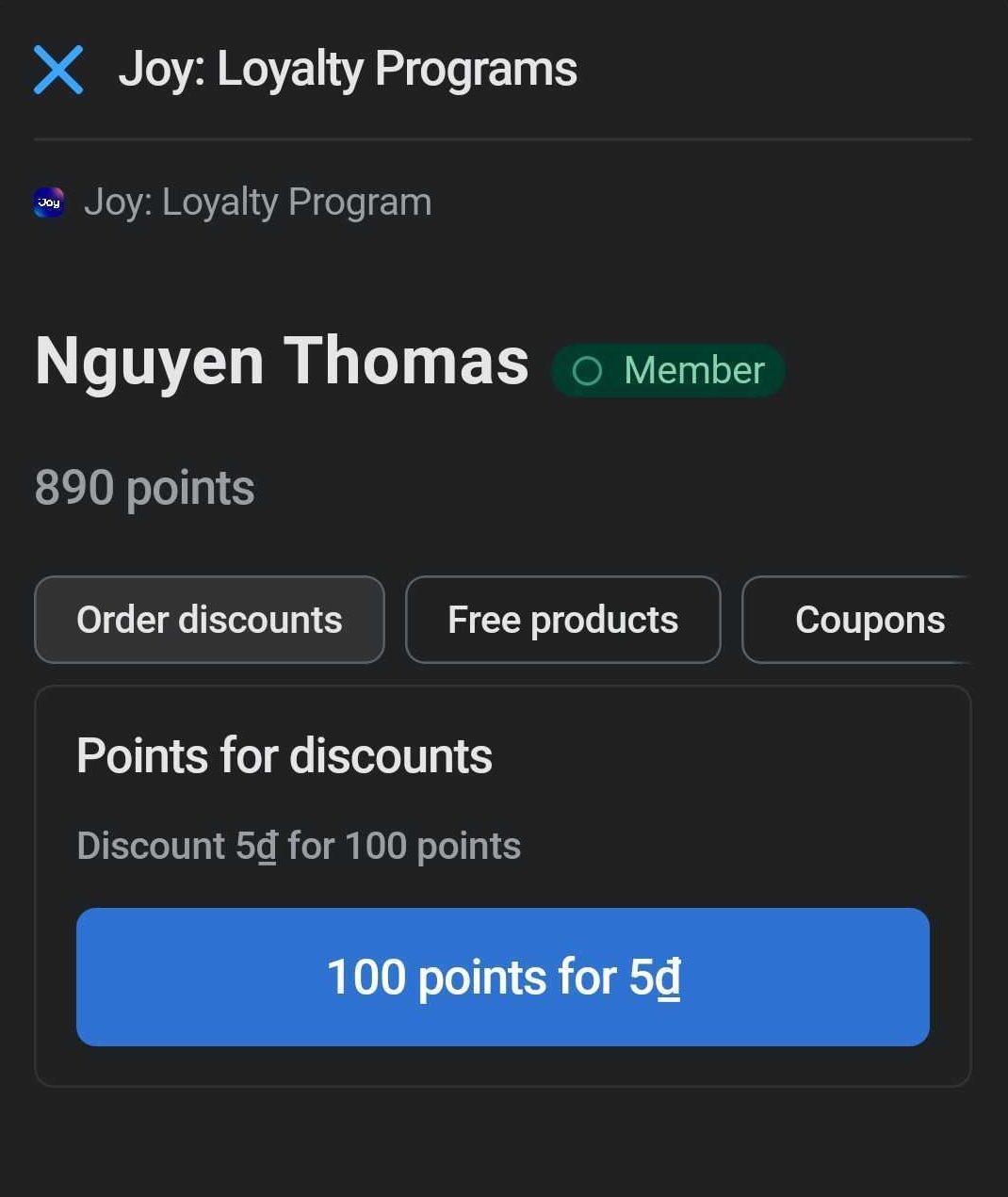
- New Version (Joy Loyalty POS Extension): Launched in 2024, leveraging the Shopify POS UI extension (opens in a new tab), this version enhances the POS interface with features like a modal for customer redemptions, inputs for greater flexibility, and the ability to see the member's status and name. It allows customers to redeem free products, locate existing coupons, and manage their loyalty details more effectively.
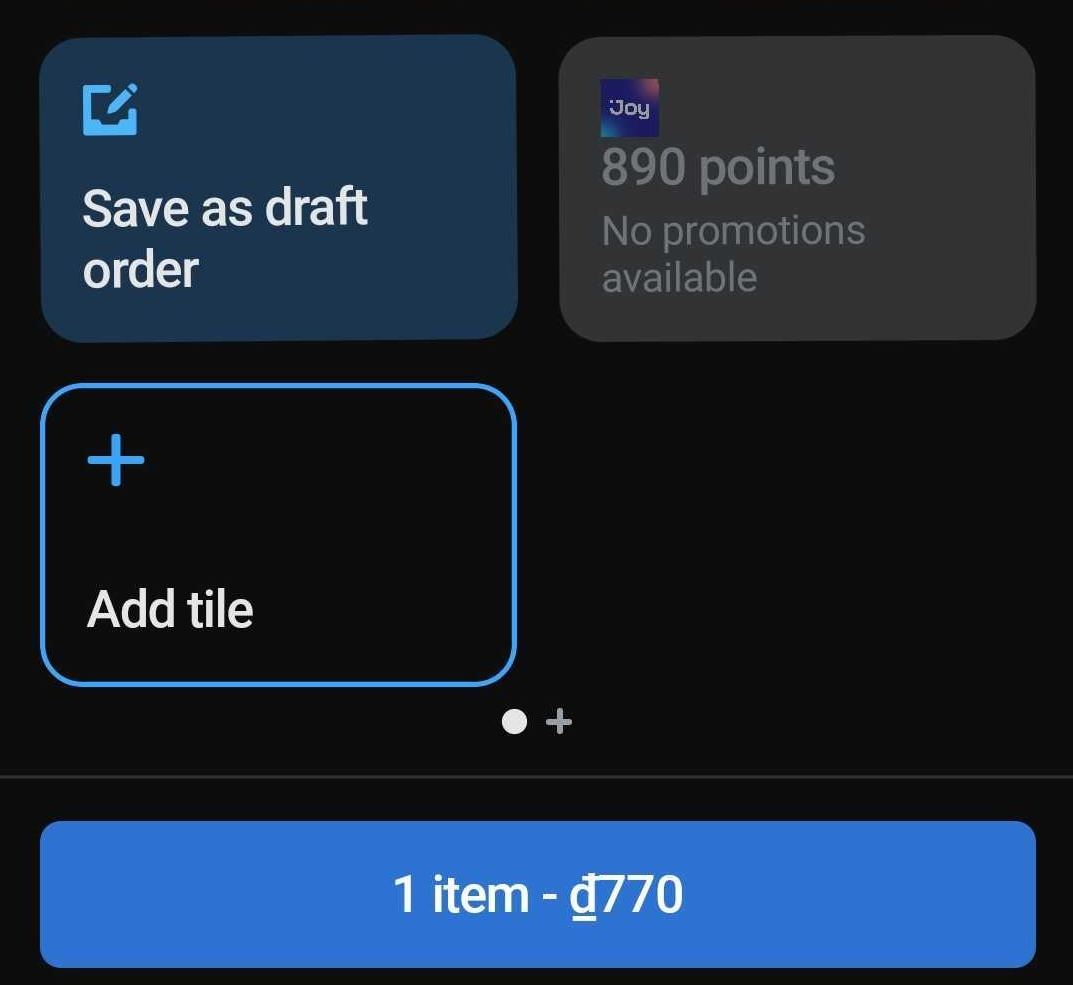
- Previous Version (Joy: Loyalty Program): This legacy version is now deprecated. Initially, it displayed the balance and basic member information directly in the grid and allowed for redeeming discounts and percentages with fixed presets. Due to advancements in technology and customer feedback, we recommend migrating to the latest version for improved functionality and support.
Enable your POS programs
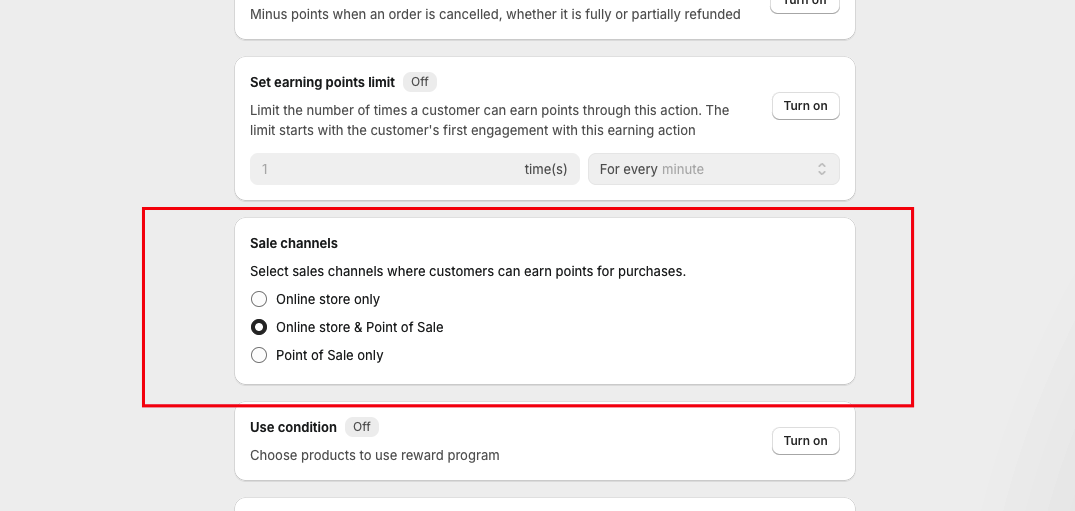
By default, the programs set up in your store are not automatically enabled for the POS channel. To ensure that your customers can earn and redeem points at the point of sale, you must actively select which earning and redeeming programs should be available on POS channels.
FAQs
I added a customer in POS but it still says no program available. What is the error and what should I do?
This is a common question we receive from our customers. If you encounter this error, make sure that:
- You have subscribed to the Advanced or Ultimate plan, as POS integration is only available on these plans. If you are using a lower plan, points will show as zero on POS.
- The customer has enough points to redeem and use the reward
- You have set up and enabled at least one redeem program for POS.
- You have successfully connected Joy to the POS system.
- Before being able to select any available program in Joy, you must first select the product and customer and ensure the Joy app is connected.
POS shows 0 points and displays "Session token fetch failed." What should I do?
If the Joy tile on your POS shows "Balance: 0 points" and you see an error banner at the bottom saying "Session token fetch failed for Joy: Loyalty Program. Check [staff name]'s permissions", this means the POS staff account does not have permission to access the Joy app.
Joy follows Shopify's standard way to communicate between Shopify POS and apps. This means staff permissions are managed by Shopify, and each staff member who uses the POS must be granted app access in your Shopify admin. You can learn more about this in the Shopify community discussion (opens in a new tab).
To remedy this, check which permission model your store uses:
Option 1: Individual staff permissions
If your store manages permissions per staff member:
Go to Shopify Admin → Settings → Users and permissions
Select the staff account used on your POS device
Under App permissions, make sure Joy: Loyalty Program & Rewards is enabled
Save and reopen the POS app
Option 2: Role-based permissions
If your store uses Shopify's role-based permission system (Settings → Users → Roles):
Go to Shopify Admin → Settings → Users → Roles
Select the role assigned to your POS staff (e.g., "Cashier")
Under Point of Sale permissions, expand the Apps section
Make sure both Use apps that work with Shopify POS and Manage POS UI extensions are enabled
Save and reopen the POS app
Once the staff member has the correct app permissions (either individually or through their assigned role), the customer's point balance will display correctly on the POS.
This applies to all POS staff accounts. If you have multiple staff members using POS devices, each one needs app permissions enabled — either individually or through their assigned role.
Wrap up
Integrating Joy with Shopify POS makes loyalty rewards seamless. Install the app, enable programs, and use the latest Joy POS Extension for optimal functionality. For issues, check your plan, setup, and eligibility. Contact us for non-Shopify POS support!