Tier Assessment
Set up Tier Assessment to automatically review how customers spend, order, or earn points and keep them in the right loyalty tier
This feature is available for the Ultimate plan.
Introduction
For Shopify Plus merchants using the enterprise plan, keeping your loyalty program members in the right tiers is essential for maintaining engagement and rewarding your top spenders.
The Tier Assessment feature automatically reviews how active your customers are — by money spent, number of orders, or points earned — to determine whether they keep their current VIP status or move to a lower tier. Assessment uses the same metric as your tier level-up method, so the labels and units below adapt to your setup.
Understanding the Rules
The Tier Assessment feature operates by allowing merchants to set the following parameters:
- Assessment Cycle (X): The period after which the customer’s spending will be reviewed.
- Order Review Timeframe (Y): The specific timeframe in which orders are evaluated.
- Maintenance Threshold (Z): The minimum a customer must reach within the timeframe to keep their tier — an amount spent ($), an order count, or points earned, depending on your tier level-up method.
After each cycle (X), the system checks whether customers have met the threshold (Z) within the specified timeframe (Y). If not, they may be downgraded to a lower tier.
How to set up Tier assessment
Open the Joy Loyalty application
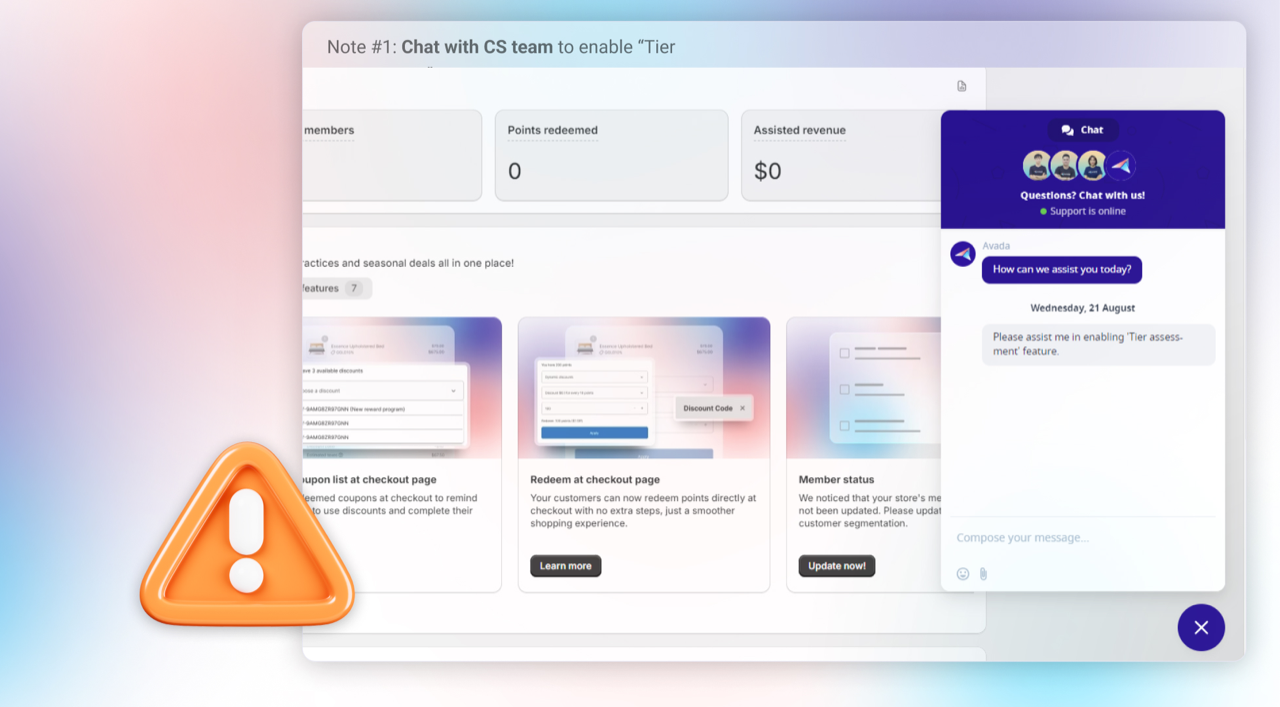
Contact Joy Loyalty customer support
Request to enable the "Tier Assessment" feature
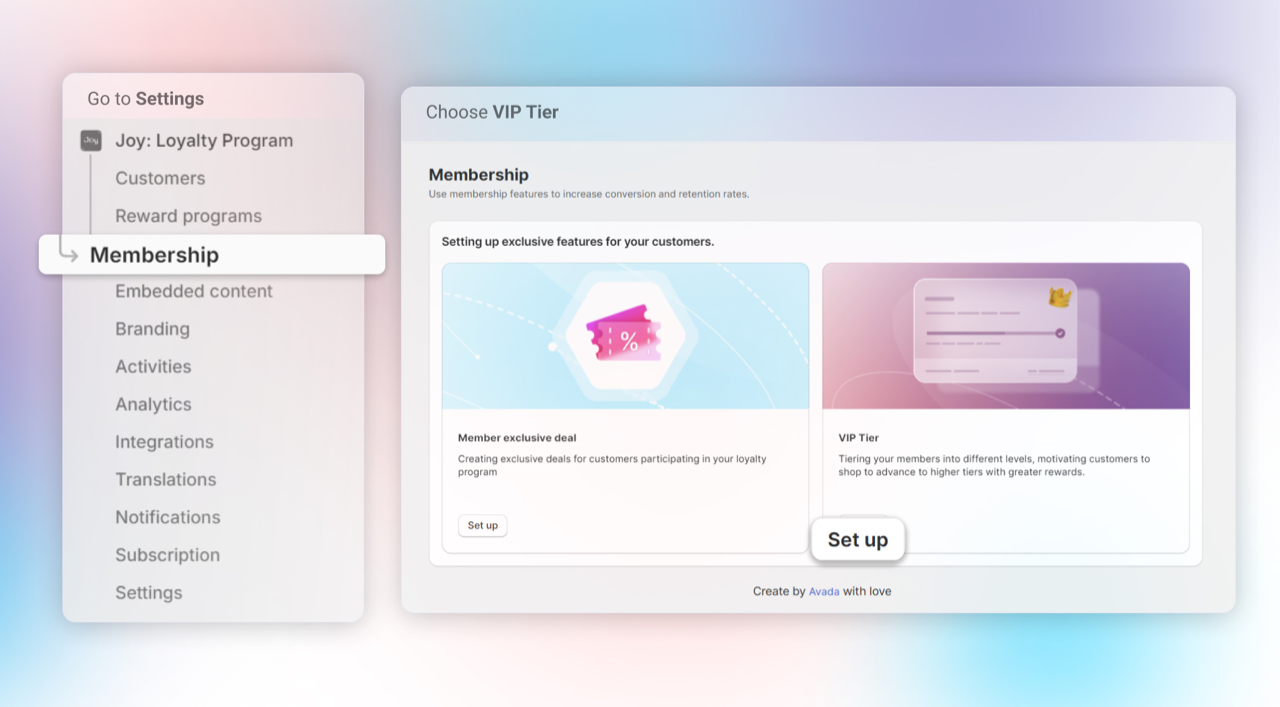
After having Tier Assessment in your setting, Open Membership > VIP Tier > Set up
Choose Assessment > Set up Tier Assessment by configuring:
- Assessment Cycle: Set how often (X months) the system reviews customers for tier retention.
- Review Timeframe: Define the period (Y months) of activity to evaluate.
- Maintenance Threshold: Set the minimum a customer must reach to keep a tier — spending, order count, or points, matching your tier level-up method.
Note: Tier Assessment follows your tier level-up method — Money Spent, Number of Orders, or Points Earned — and the labels adapt automatically. If you change your tier level-up method, Tier Assessment is turned off; re-enable it so the next cycle starts cleanly on the new metric.
What customers see
When Tier Assessment is on, members see a maintain-tier message on the loyalty widget, Loyalty Hub, and account page. The wording follows your assessment metric:
- On track — "✓ You've secured your Gold status through Jan 1, 2027."
- Needs more — "Place 3 more orders to keep Gold by Jan 1, 2027." (or "Spend $250 more…", "Earn 500 more points…")
Customers can expand How is this calculated? to see the assessment window, their total tracked so far, and the next assessment date. You can customize all of this wording in the Translation editor.
Comparison Between Tier Assessment and Tier Demotion
| Tier assessment | Tier demotion | |
|---|---|---|
| Purpose | Automatically reviews customer spending over time to determine tier status, allowing merchants to fine-tune evaluations. | Focuses on downgrading inactive customers, offering a simple approach to basic tier management. |
| Evaluation Criteria | Uses three key variables—assessment cycle (X), review period (Y), and spending threshold (Z)—for strategic tier retention. | Sets a single period (X) for downgrades if customers fail to earn points. |
| Customization and Flexibility | Offers customization with options like review windows and spending conditions, ideal for tailored loyalty management. | Provides a simple, straightforward method ideal for basic tier management needs. |
| Use Case | Ideal for Shopify Plus merchants seeking a robust method to keep top spenders engaged through regular tier reassessments. | Perfect for merchants wanting a simple, time-based system that downgrades tiers for inactivity |
| Outcome | Maintains or demotes tiers based on a comprehensive view of the customer’s spending habits. | Primarily focuses on tier demotion due to inactivity or insufficient points within the set period. |
Overall
The Tier Assessment feature helps automate the process of managing your VIP customers, ensuring that their tier is accurately adjusted based on their spending behavior. By setting the right assessment cycle, evaluation period, and spending criteria, you’ll maintain a high level of engagement in your loyalty program while ensuring fair tier placements.
Curious how top brands achieve 98.5% MoM Sales Growth with vip tier assessment
Discover how Joy helps brands like Allbirds turn one-time buyers into devoted fans. Book a demo to see our enterprise-grade features like automated tier assessment.