Referral at Checkout Page
This feature is available for the Ultimate plan and Shopify Plus for Checkout Extensibility (opens in a new tab)
Overview
Let customers enter a referral link or code directly at checkout to instantly claim their referral reward.
This helps shorten the referral flow, increase visibility, and improve conversion.
⚡ Available for Shopify Plus stores (Checkout Extensibility only).
🧩 Cart Drawer support will be available soon.
How to set up
Go to Joy App → On-site content → Checkout page.
Find the block Referral at Checkout and click Edit in Theme Editor.
In the Theme Editor, find the block Referral at Checkout Page.
Drag and place it where you want on the checkout page.
Edit text if needed:
- Title: “Have a referral link?”
- Description: “Enter your referral link or code below to claim your {{ referral_reward }} discount.”
Click Save to apply changes.
Customer experience
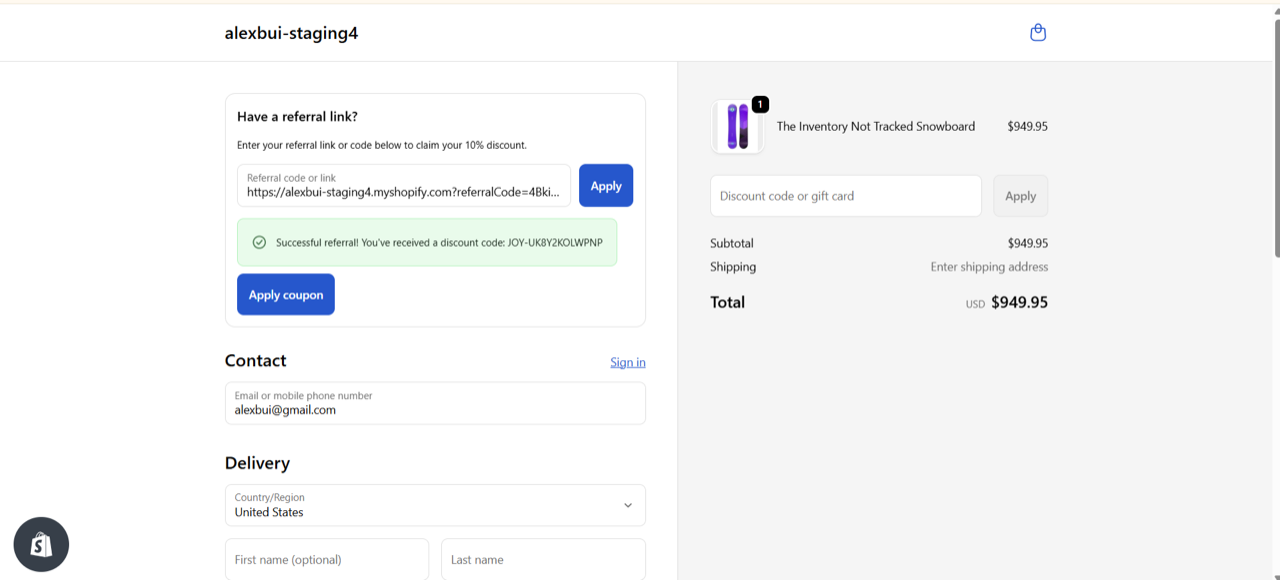
- Customer enters a referral link or code and clicks Apply.
- The system validates:
- ✅ If valid:
- Shows message: “Successful referral! You’ve received a discount code: {coupon_code}.”
- Displays a button Apply coupon next to it.
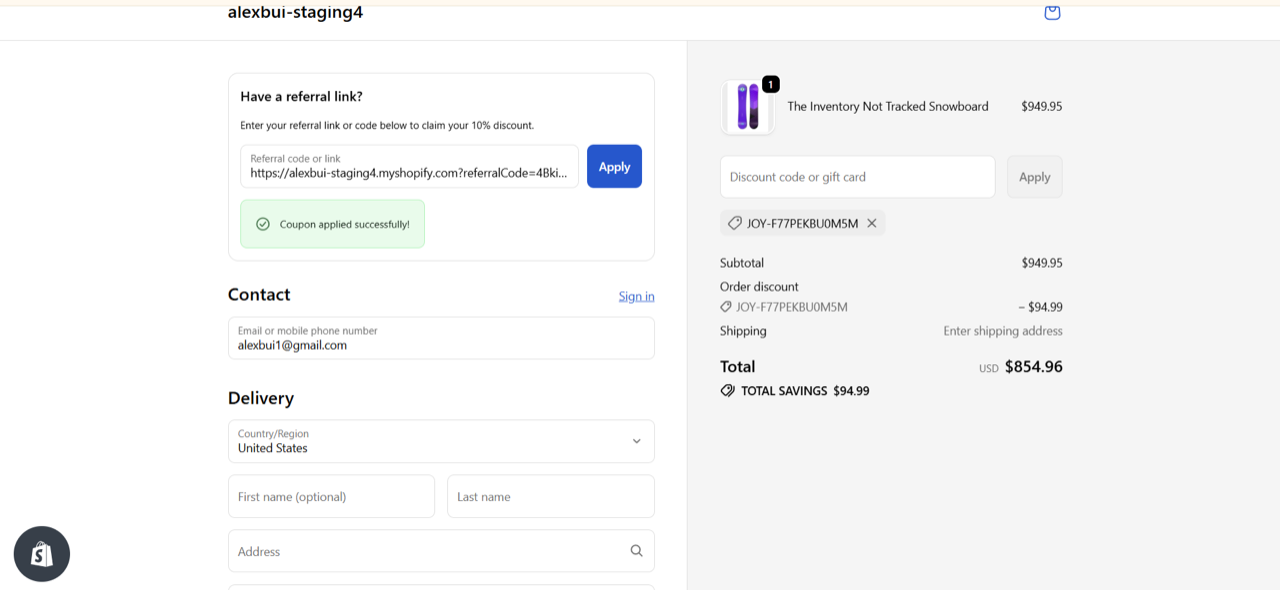
- Customer clicks Apply coupon → the system applies the discount to the order.
- If the coupon is valid and applicable → order total updates immediately.
- If the coupon cannot be applied (expired, not applicable, etc.) → shows an error message.
- ❌ If invalid:
- Shows message: “Referral link or code is invalid. Please try again.”
- ✅ If valid:
FAQ
1. Who can use this feature?
→ Only available for Shopify Plus stores using Checkout Extensibility.
2. What happens if the coupon is invalid or expired?
→ The system will show an error message and the coupon won’t be applied.
3. Can I customize the reward amount?
→ The reward amount follows your referral program settings.
4. Can I add this to the Cart Drawer?
→ Not yet, but support for Cart Drawer is coming soon.